
The Journey Home lobby board: a screen staff update by sending an email.
The Journey Home is a Christian ministry in Murfreesboro serving the homeless and disadvantaged of Rutherford County. The TV in their lobby now shows who is in today, the week's schedule, upcoming visits and house notices. Nobody on staff had to learn signage software to keep it current.
A lobby screen is only useful if it is right
The people who walk into The Journey Home need to know simple things quickly: who can see them today, when the clinic is open, what the rules are and what to do first. Many are reading from across the room.
A screen can answer all of that, but only if it is current. Staff at a busy nonprofit do not have time to open a design program every time a schedule changes, and a board that shows last week's hours is worse than no board.
Easy for staff
If you can write an email, you can change the board.
Hard to get wrong
Every change is previewed, approved and checked before it is on the wall.
Looks like them
Built in The Journey Home's own colors and voice, and it stays that way.
Designed to be read from across a lobby
These are real screens from the board. It rotates through them all day on a 1080p TV.

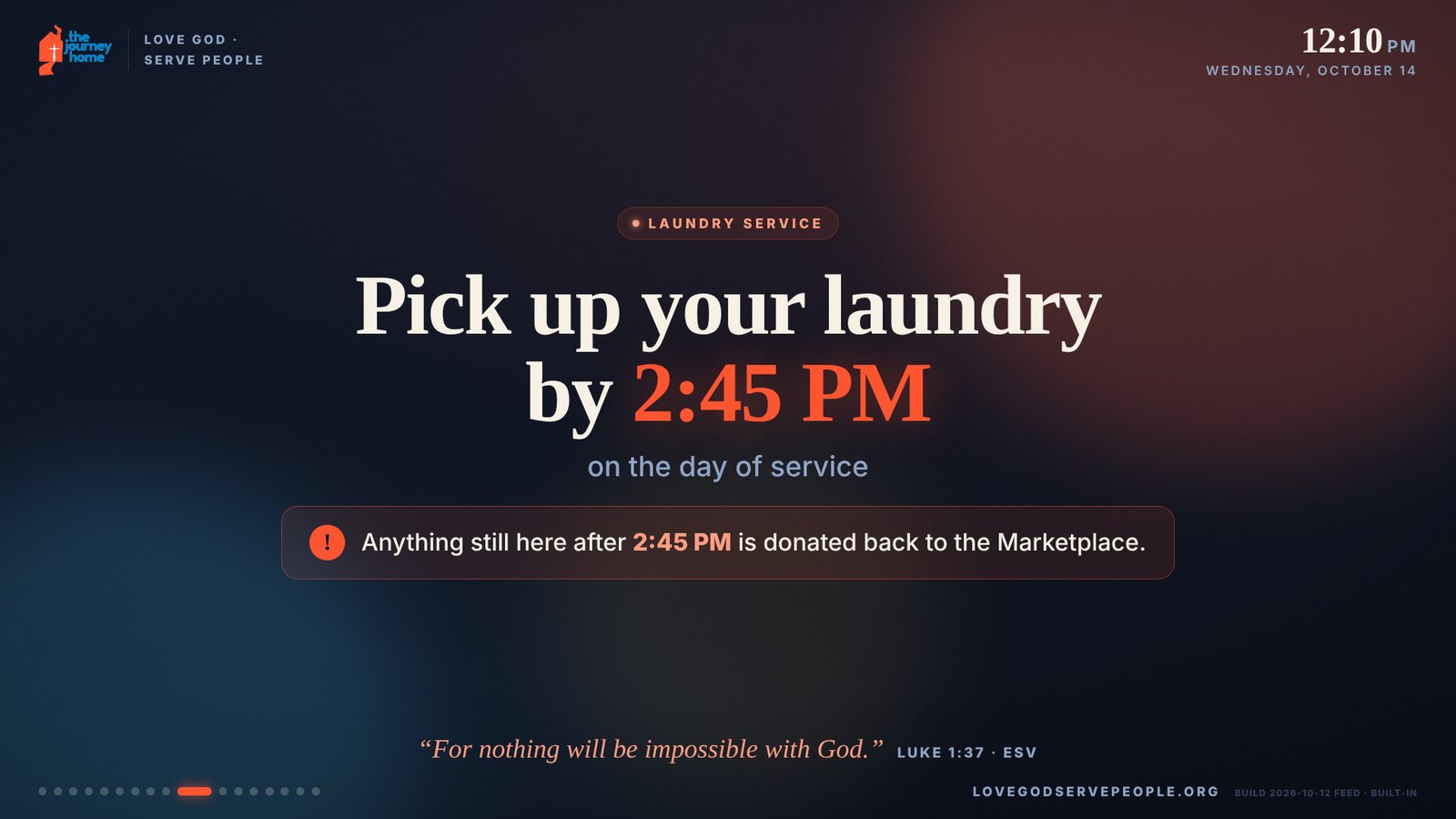
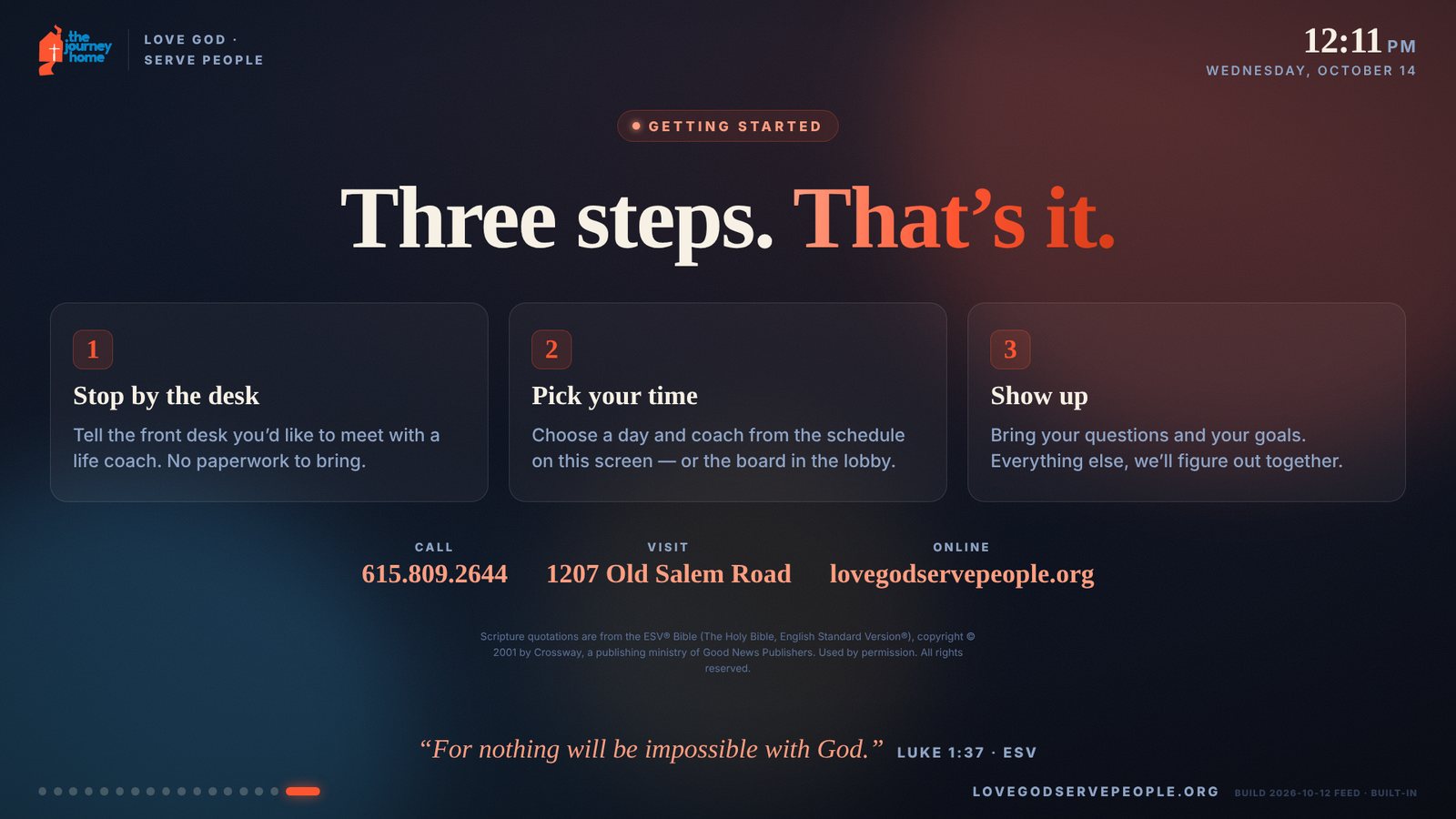
- Right now
- A live panel shows which coaches and services are available at this moment.
- Today and this week
- Who is in today, and the whole week at a glance, with today highlighted.
- Services
- A screen each for the clinic and visiting services, each with its own color so regulars recognize it.
- Coming up
- Special visits with a countdown. Each one takes itself down when its date passes.
- Notices
- House rules and safety notices, one message per screen.
- Scripture
- A rotating verse on every screen, chosen by the ministry.
Email in, preview back, yes, live
An AI agent we built handles the requests, and every email it sends says so. It checks for new requests every 15 minutes during the work day.
Staff send an email
“Please add the dental visit on November 11 at 8:00 AM.” Plain words, no forms.
A preview comes back
A link to a page showing each changed screen before and after, plus the whole board in order.
Someone replies yes
Any approved person on the list can approve it, or ask for a tweak first.
It goes live
The board updates within minutes and refreshes itself. Nobody touches the TV.
What keeps a wrong time off the wall
Approved senders only
Requests are accepted only from a short list of staff. The director controls who is on it, by email.
It asks, it never guesses
If a request leaves out a time, AM or PM, a day or an end date, the reply is a question, not a guess.
Every screen is checked
Before each preview and again before publishing, every screen is rendered and checked for layout, readability and matching dates.
The design cannot drift
Changes are built from the board's existing parts, colors and type sizes, against a written rule book.
Scripture is locked
The verses cannot be changed through a request. The server refuses to publish if a single word differs.
Full history
Every version of the board is kept, so any change can be undone in minutes.
Reminders go out during the work day if an approval is waiting, so a request does not sit unanswered.
A board like this for your building
The board is a web page, so it runs on an ordinary TV with a browser or a small computer behind it. We design it in your brand and set up the email updates for your staff.
Churches and nonprofits
Service times, who is in today, events and volunteer needs.
Clinics and offices
Provider schedules, wait-room notices and closures.
Plants and shops
Shift schedules, safety notices and announcements for the break room or the floor.
The Journey Home's network, cameras, gates and Microsoft 365 are ours too. See that project on our network site.
Want a screen your staff can actually keep current?
Call us or send a note. Tell us what the screen needs to show and who should be able to change it.
Shared with The Journey Home's permission.